
Webchat - Error Message for Required Fields
Issue Description
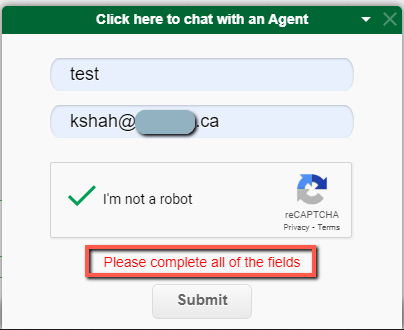
If a web chat has all necessary fields (properly formatted) and still displays the error "Please complete all of the fields," it is most likely because there are two elements of the web chat embedded into that webpage.
Cause
You'll only see one window, but there is a second "incomplete" request being triggered behind the scenes.
Resolution
NoteThe web developer in charge of the website will need to remove any duplicates of our web chat snippet from the page. Xima Support will be unable to assist with this removal, as it is outside our scope of support.
Troubleshooting Steps
-
You can prove this by opening their webpage locally in a browser like Chrome.
-
Press F12 to open the DevTools window.
-
Select the "Elements" tab.
-
Search for "chat-widget-loader" to find a portion of the snippet.
-
If you see the same snippet twice, your dev team will need to remove one.

-
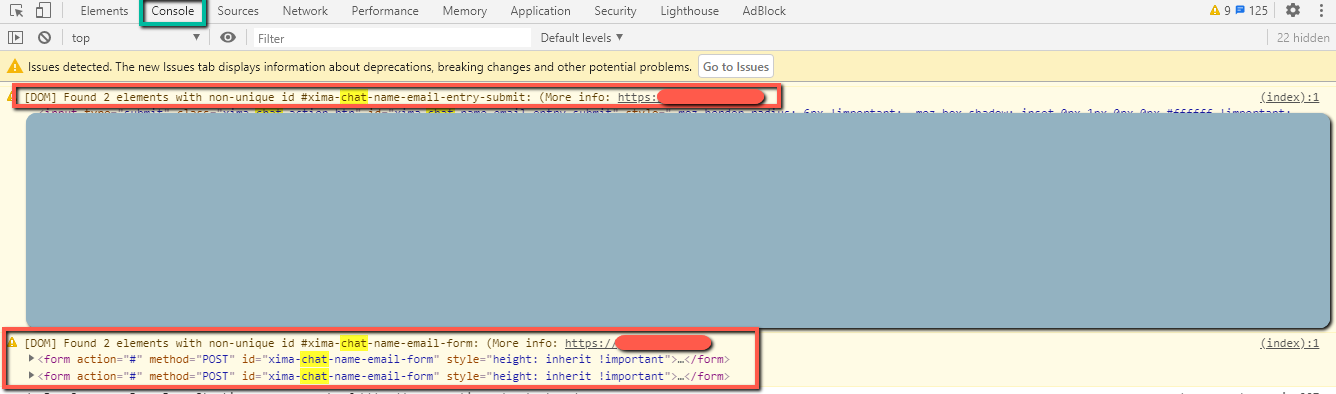
You can also prove it in "Console" (part of DevTools) to show actions and errors.
Updated 4 months ago