
Recording Library Storage Limit Causes Out Of Pools Error
Issue Description
If Chronicall shows an Out Of Pools error message and recordings are not playable (although they can be downloaded), it could be because the storage pool has hit its storage limit.
Troubleshooting Steps
-
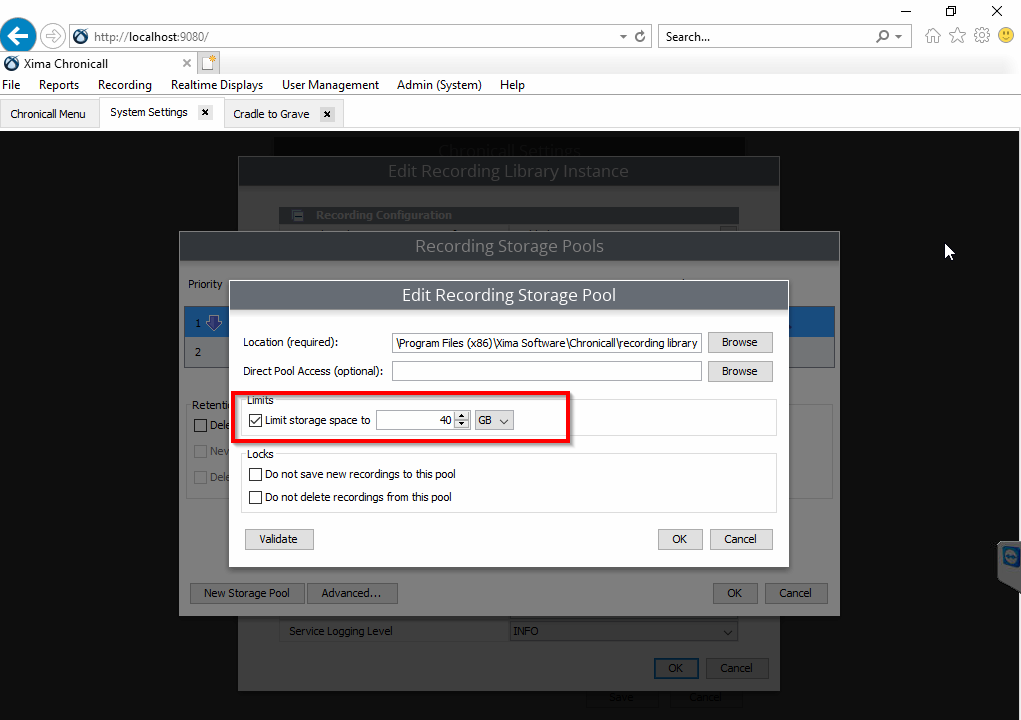
Under Recording Library settings, check whether there is a storage limit set on the pool.
-
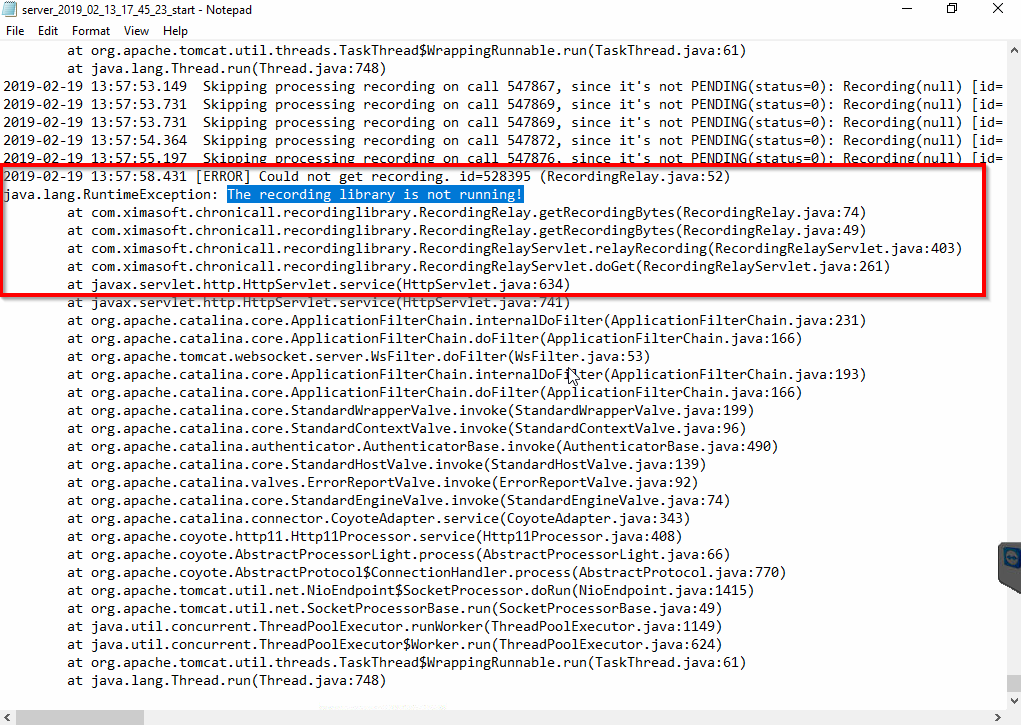
Try to play a recording from Cradle to Grave and check for the following error message in the Tomcat server start log:
-
Check the size of the storage pool's 0 folder. If it has exceeded the storage limit, that's the cause of the Out Of Pools error message.
Resolution
This error will go away once you increase the storage limit of the pool and save the settings, or if you free up space in the pool by deleting unwanted recordings.
You can also configure a Recording Retention Policy to avoid running into this error again.
Updated 3 months ago