
Chronicall Cannot Detect The Recording Library
Issue Description
The Recording Library service is running, but clicking on the bell icon on the Chronicall home page throws an error: "Recording Library - Not Running."
Applicable Systems
- All PBX systems
- All Chronicall versions
- Windows Server and Linux
Cause
This is caused by Chronicall or the Recording Library settings file having the incorrect IP address or Recording Library system ID. For example, if the settings file has the Recording Library system ID as 2, and Chronicall is looking for System ID 1, it will say the Recording Library service is not running.
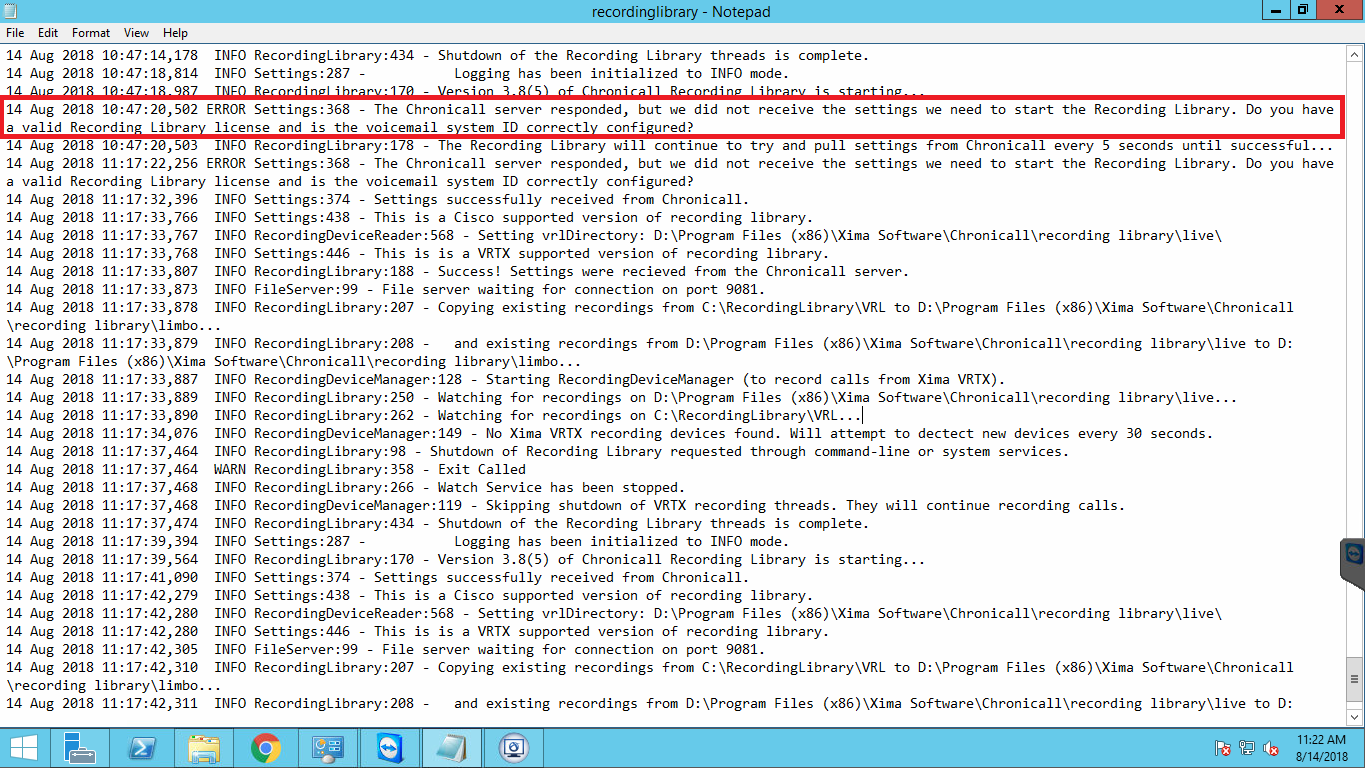
In such cases, the first place to look is the Recording Library log:
- Windows —
C:\Program Files (x86)\Xima Software\Chronicall\recording library\recordinglibrary.log - Linux —
/var/lib/Xima Software/Chronicall/recording library/recordinglibrary.log
If you notice an error like the one in the screenshot below, it means there is a mismatch between the recording library ID in Chronicall's settings and the one in the Recording Library's settings.txt file.
Resolution
To resolve the issue, make sure the Recording Library ID is the same in both places.
Steps
-
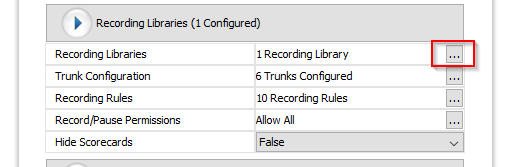
Go to Admin Settings > System Settings > Recording Libraries. Click on the ellipsis next to Recording Libraries.
-
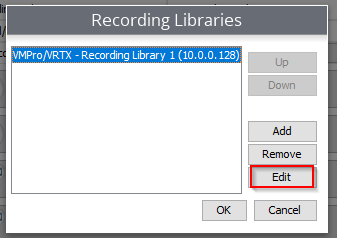
Select your recording library and hit Edit.
-
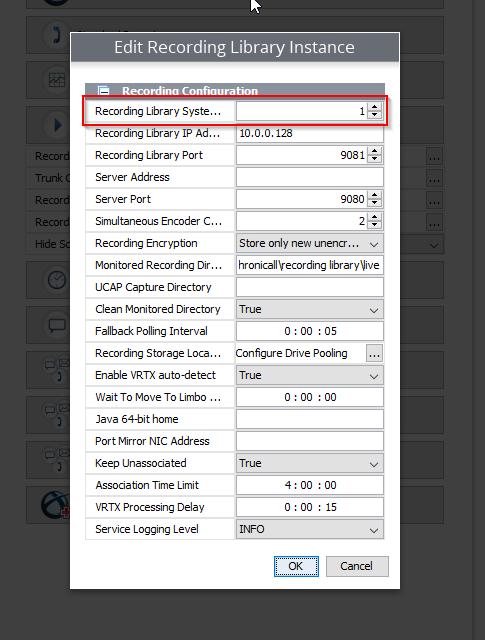
Make a note of the ID under Recording Library System ID as well as the recording library IP address. Also verify the IP address is correct here. If the Recording Library is on the Chronicall server, make sure it still shows the actual IP address and not a local IP such as 127.0.0.1.
-
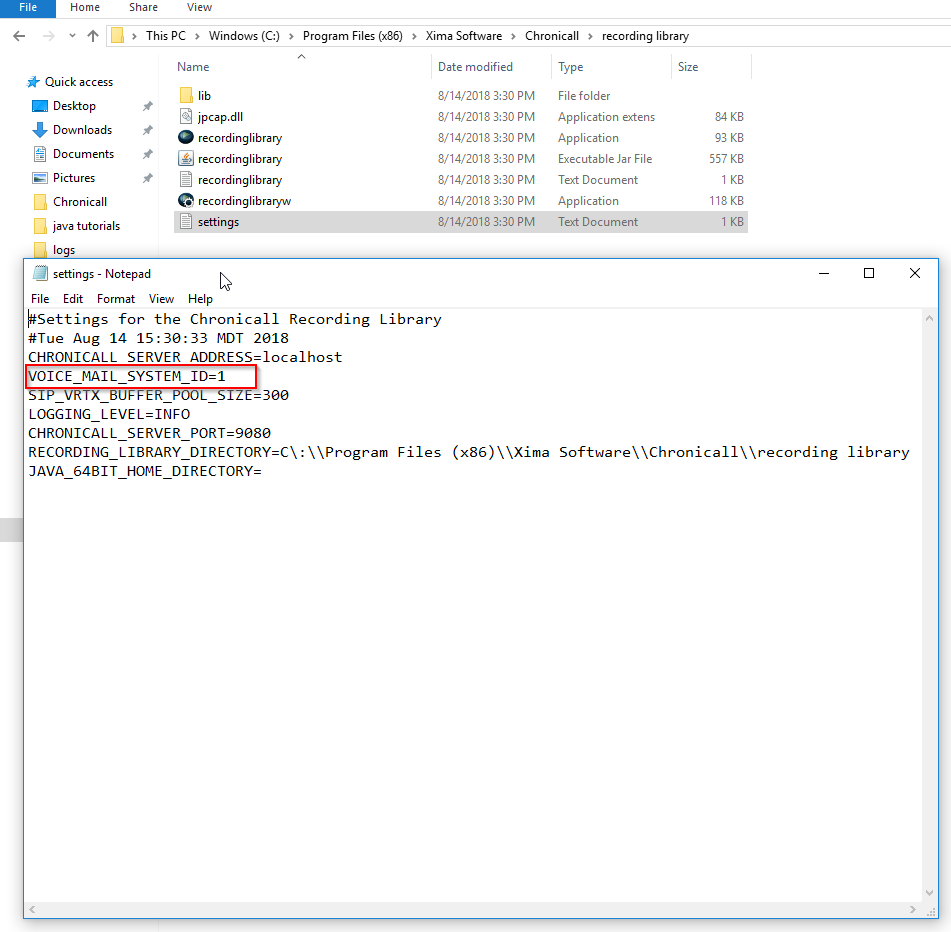
Then, go to the server where the Recording Library is installed. Navigate to the recording library folder and open the settings.txt file.
- Windows —
C:\Program Files (x86)\Xima Software\Chronicall\recording library\settings.txt - Linux —
/var/lib/Xima Software/Chronicall/recording library/settings.txt
- Windows —
-
Edit the VOICE_MAIL_SYSTEM_ID so that it matches the one in Chronicall's settings. Save the file and restart the Recording Library service.
Updated 3 months ago