
Test Your Multimedia SIP Extensions
Overview
Chronicall allows you to test whether or not your SIP extensions have registered with Multimedia.
Steps
-
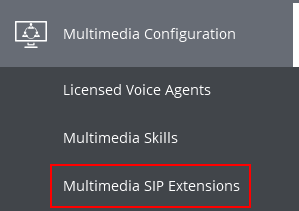
Expand Multimedia Configuration on the Main Menu and select Multimedia SIP Extensions.
-
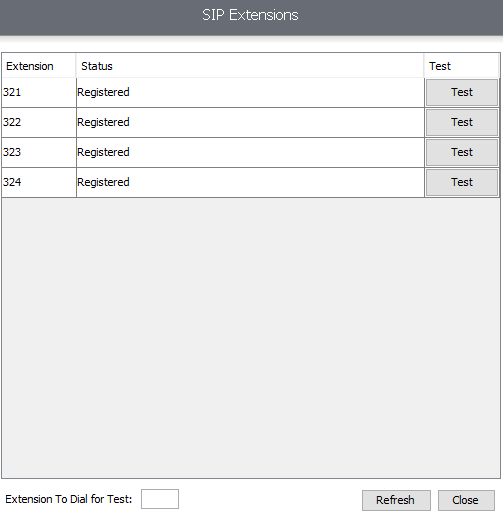
A SIP Extensions page will appear.
-
Here you can see which extensions have been added within System Settings and their status.
- The status will show Registered if the extension has successfully connected with Multimedia.
-
To test a SIP Extension, enter your extension number in the "Extension To Dial for Test" box at the bottom of the window.
-
Once you've entered your extension, press the Test button next to the SIP Extension you wish to test.
-
Your phone will ring when successful, and a message will play once you answer.
Updated 3 months ago