
BlueDB - Merging Two Databases
Summary
As of Chronicall/Avaya Call Reporting builds 4.4.3 and newer, you can merge two separate BlueDB instances.
You need to have a backup of an existing database ready to merge into your existing database.
NoteWe recommend taking a database backup of both instances before attempting a merge, so you can revert the database if any issues arise.
Steps
-
Sign in to Chronicall Desktop as an Administrator.
-
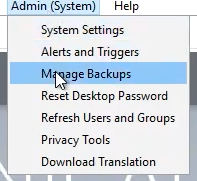
Select Admin (System) > Manage Backups.
-
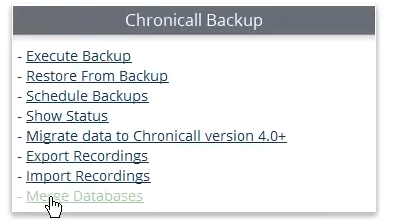
Select Merge Databases.
-
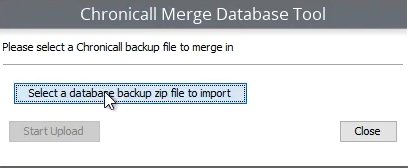
Click Select a database backup zip file to import, then select Start Upload.
-
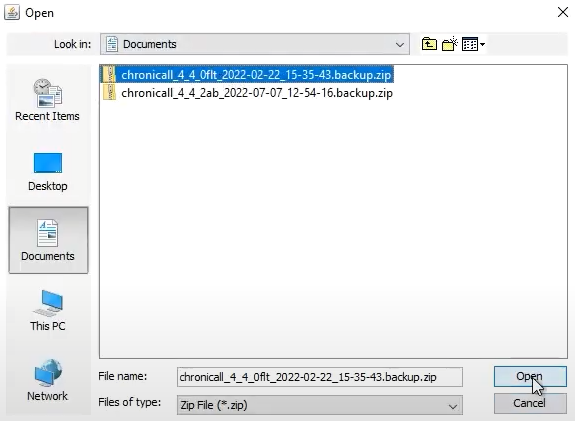
Select the database you'd like to merge into the existing database, then click Open.
-
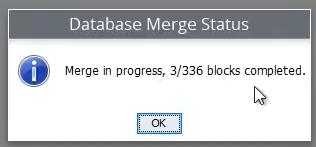
You should see a message stating that the database merge has started.

You can check the progress of the merge by selecting Merge Databases again.
-
Once complete, run a Cradle to Grave report to confirm all the data from both databases shows up in historical data.
Updated 3 months ago