
Queued Callback | Outbound Dial Code | Long-Distance vs. Local
For Queued Callbacks to dial out successfully, it must be programmed correctly in both the Chronicall/ACR software and the phone system.
Chronicall/ACR
-
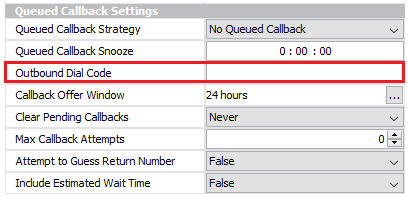
Within Chronicall/ACR, navigate to Multimedia Configuration > Multimedia Skills > Queued Callback Settings and find the "Outbound Dial Code."
-
This presents an issue when the Multimedia server is attempting to dial calls to a long-distance phone number vs. a local phone number.
-
If the outbound dial code is set to
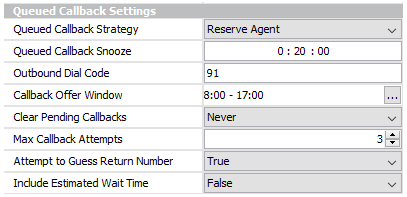
91and the Multimedia server is attempting to call back a local number, it will (most likely) fail. This is where the phone system programming comes into play.
IP Office
NoteThe examples below are provided as a helpful hint. Any changes should be performed by an IPO engineer.
-
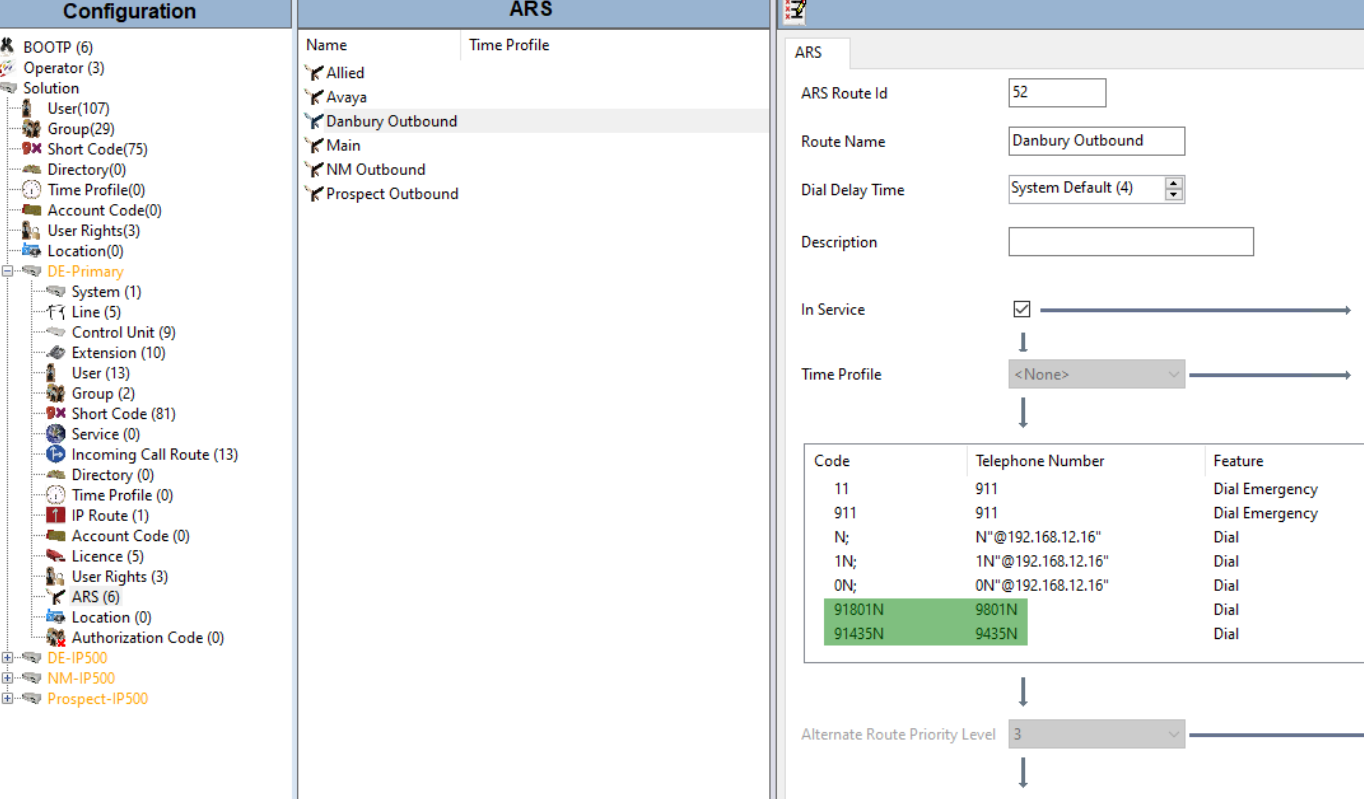
Excluding the '1' when dialing local numbers with Automatic Route Selection (ARS):
-
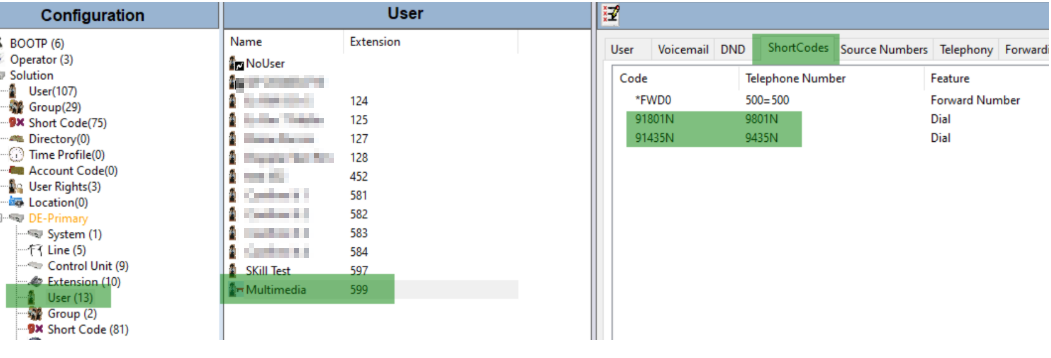
Excluding the '1' when dialing local numbers with a shortcode programmed under the SIP extension user:
-
The examples above show how to exclude the '1' when dialing two common Utah area codes:
801and435. -
The phone system recognizes that when
91801and91435are dialed, it should dial9801and9435instead. -
This allows the "Outbound Dial Code" under the Queued Callback Settings to work for both long-distance and local phone numbers.
-
If you're still having issues with Queue Callbacks going out, please refer to this article as well.
Updated 3 months ago