
Teamviewer Download
Overview
During certain troubleshooting scenarios, it may be beneficial for the Xima Software support team to connect to the server or computer hosting the Chronicall software.
Our preferred remote access method is via a secure TeamViewer session. Learn more about TeamViewer here.
-
Download TeamViewer QuickSupport
-
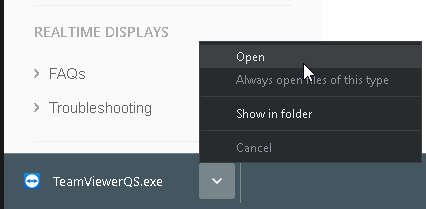
You should see the file download to the bottom left of your browser if you're using Chrome. Click the ∨ arrow, then click Open. You can also check your Downloads folder if you're using another browser.
-
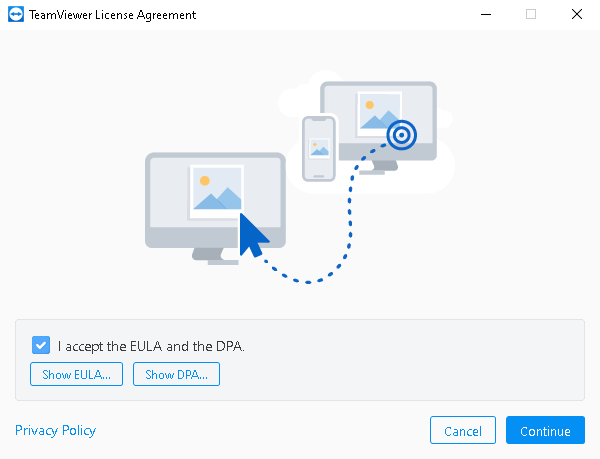
Check I accept for the EULA and the DPA, then select Continue.
-
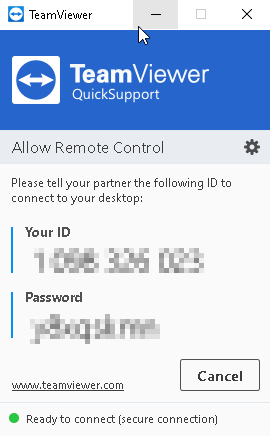
You should see Your ID and Password so the agent can connect to your machine now. Please provide these to the support agent.
-
You should now be connected so the support agent can continue troubleshooting.
Updated 3 months ago