
How to Adjust CDR Time for Chronicall (Avaya Aura)
At some point, there may be an issue with Chronicall not being able to parse timestamps correctly for the CDR feed from your Communications Manager.
Initial Steps
- Verify that the time on the Aura (CM) Server itself is correct.
- Verify that the Chronicall Server is in the right timezone.
Aura (CM) Specific Steps
-
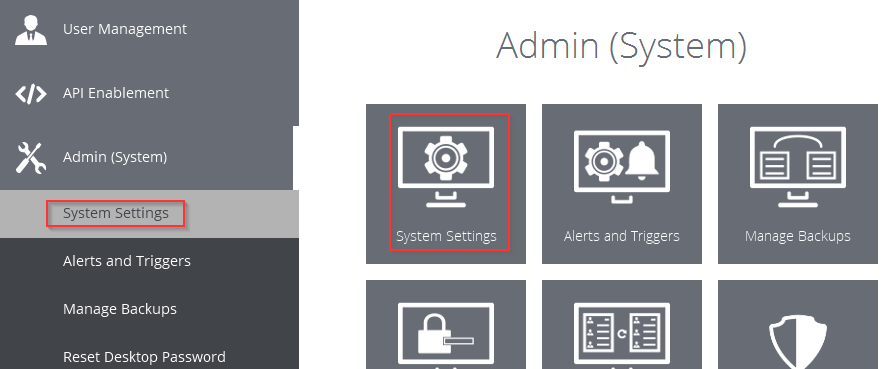
Navigate to your system settings by clicking on Admin (System) > System Settings.
-
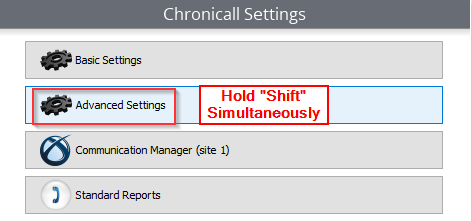
Next, navigate to your Hidden Advanced Settings by holding the Shift key on your keyboard while clicking on Advanced Settings.
-
Next, modify the setting for CM CDR Time Sync Enabled and change it to the opposing value.
-
Finally, save your settings and restart the service.
If you continue to have issues, please reach out to our Xima Support Team.
Updated 3 months ago