
Proxy on the Chronicall & Multimedia Servers for Internal Traffic
Issue Description
If your Chronicall and Multimedia servers are configured to use a proxy server for routing traffic to the internet, they must be configured to not use the proxy for local (intranet) traffic.
It's a requirement for the Chronicall and Multimedia servers to be able to communicate with each other locally, along with any clients not being routed through a VPN or public IP address.
Resolution
Change your network settings so that internal IP addresses don't use the proxy.
Steps
- Navigate to Windows Settings > Network & Internet > Proxy.
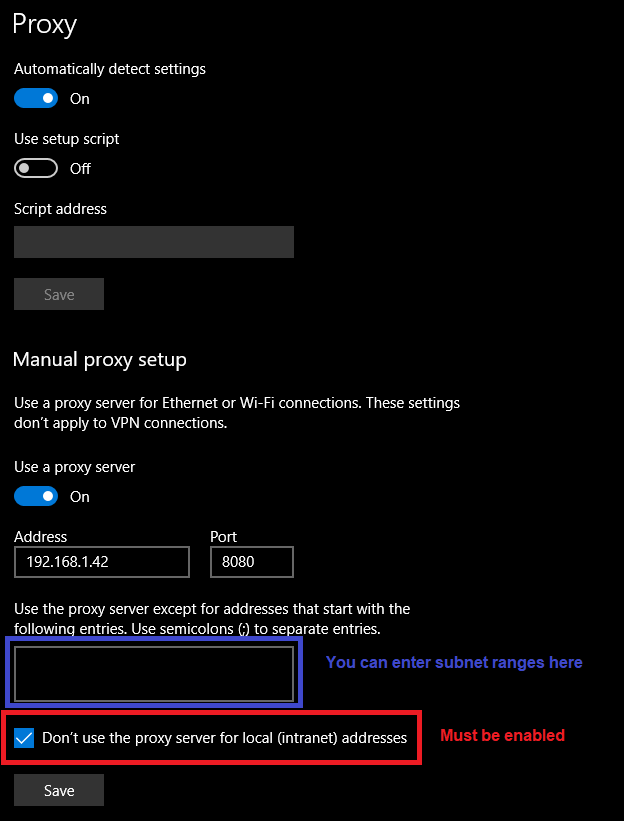
- Under the "Manual proxy setup" section:
-
Make sure that you select "Don't use the proxy server for local (intranet) addresses."
-
You can also exclude certain subnet ranges in the box above that setting.
-
Updated 3 months ago