
Error Running Report
Overview
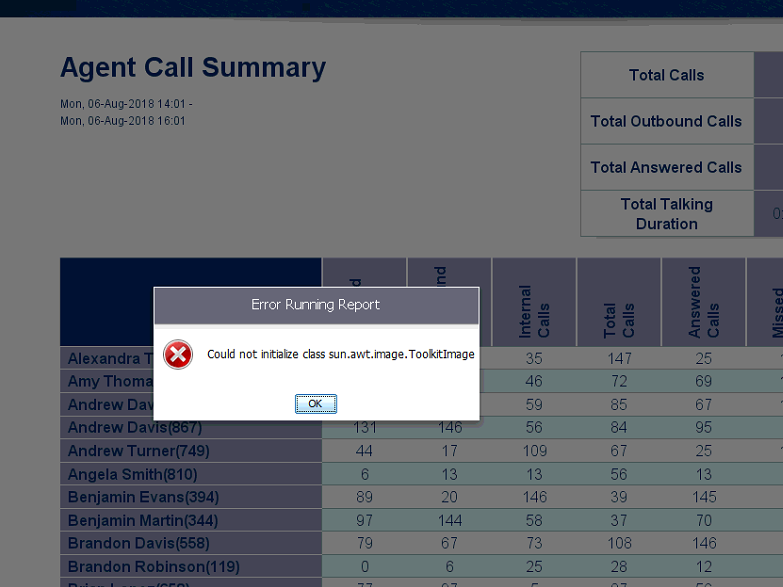
This article covers troubleshooting the issue where running a report generates the error "Could not initialize class sun.awt.image.ToolkitImage," preventing the report from displaying.
Cause
This error typically occurs when Java is updated or reinstalled while the Chronicall services are still running.
As a result, the working Java path that Chronicall uses doesn't get updated with the new Java version, or gets removed.
Resolution
To resolve this issue, the Java path must be updated in the Chronicall settings to reflect the updated Java path. This can be done in one of two ways.
-
(Preferred method)
-
For a permanent, long-term fix, please update Chronicall to the latest recommended version, as it contains an embedded Java package that makes local Java issues like this one obsolete.
NoteRunning a Chronicall update involves a brief restart of the Chronicall service, which will stop all logging, recording, and call routing.
Multimedia customers will need to perform this update after hours to avoid losing calls in queue.
-
-
(Alternate method)
-
Stop all Chronicall services and start them back up again, or reboot the Chronicall server — whichever is more convenient.
Multimedia customers will need to perform this update after hours to avoid losing calls in queue.
-
Updated 3 months ago